Free for hosts
Vacation Rental Signs
Pick the signs your home needs, type the Wi-Fi, times and names once, and download a matching set as one PDF. 15 signs, in Letter and frame sizes.
What to include
Which signs a rental needs
Start with the four questions every guest asks, then add a sign wherever your home works differently from theirs.
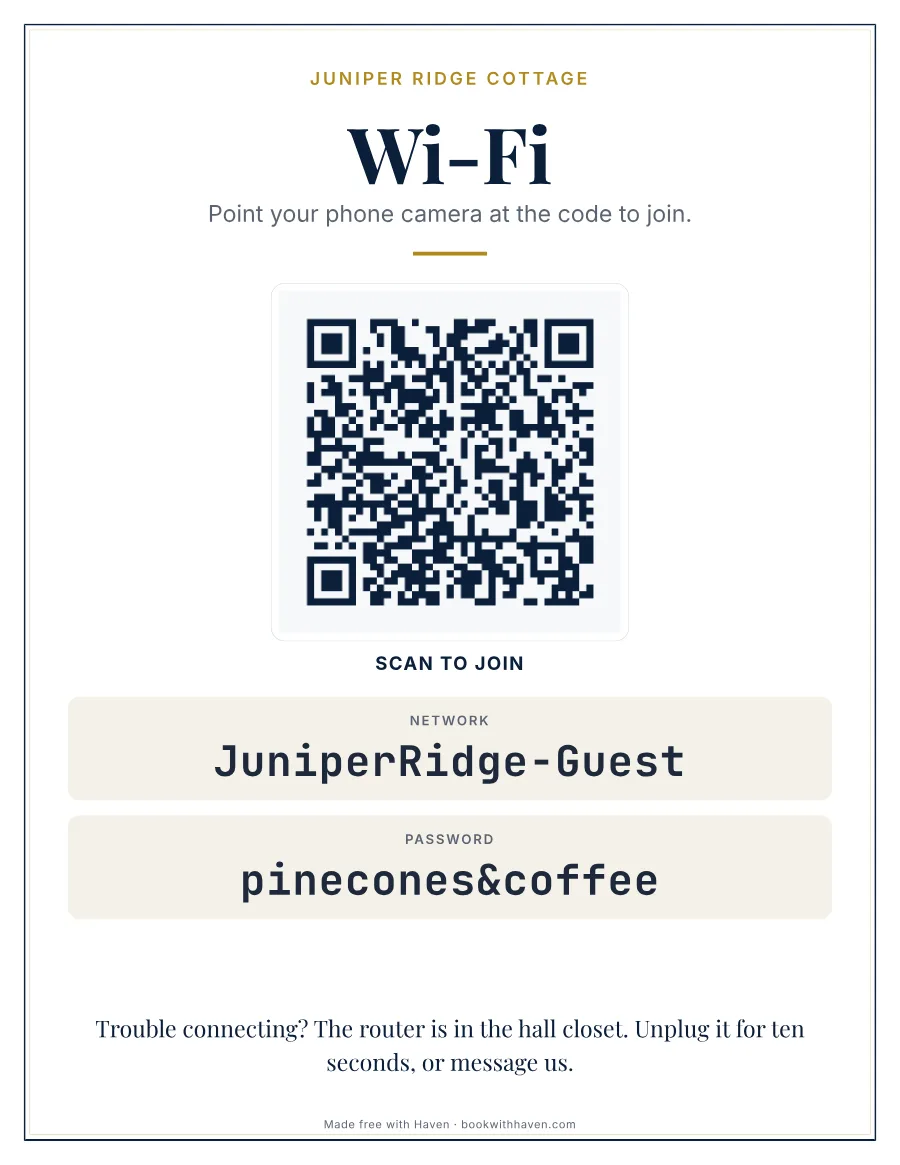
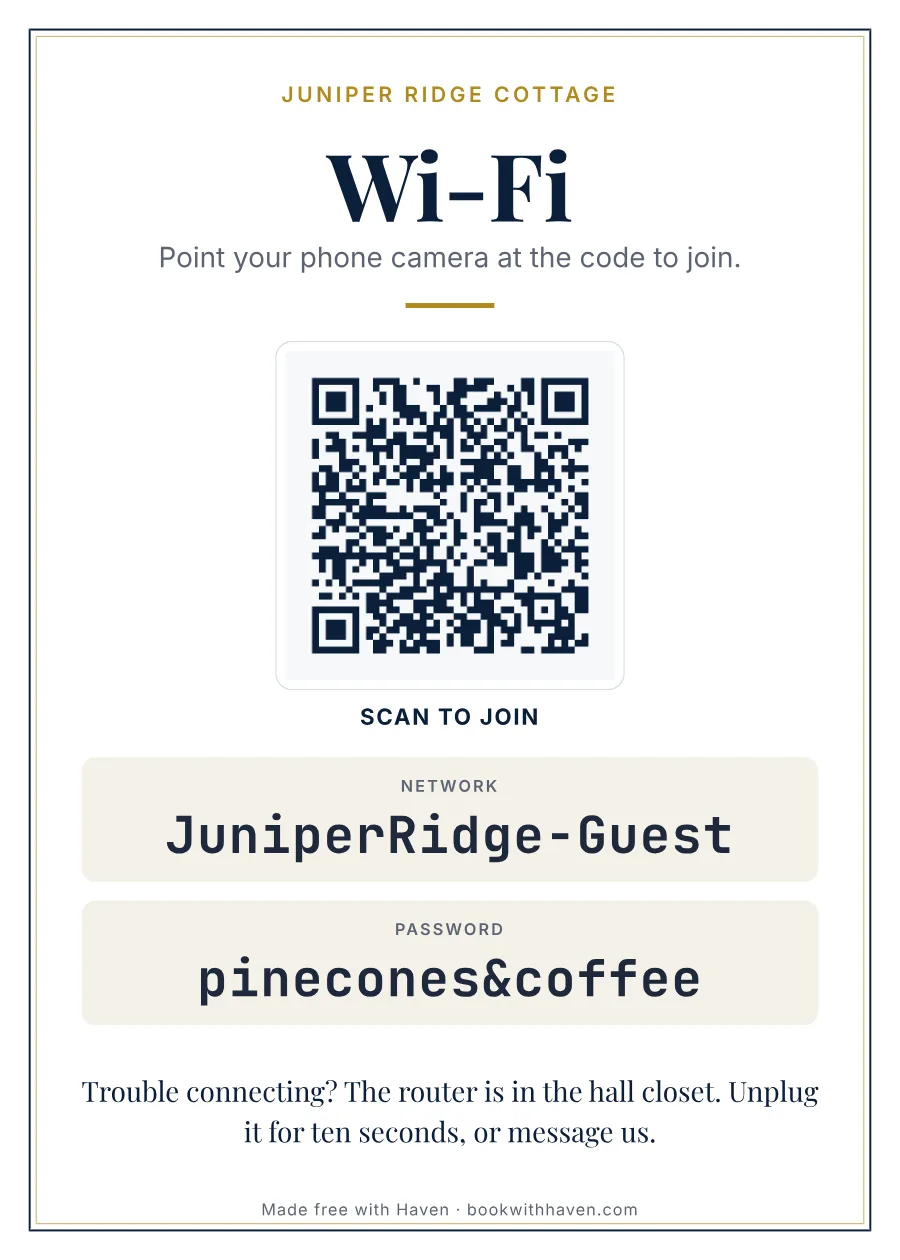
Wi-Fi
The sign guests look for first. A scan-to-join QR code saves typing a long password on a phone.
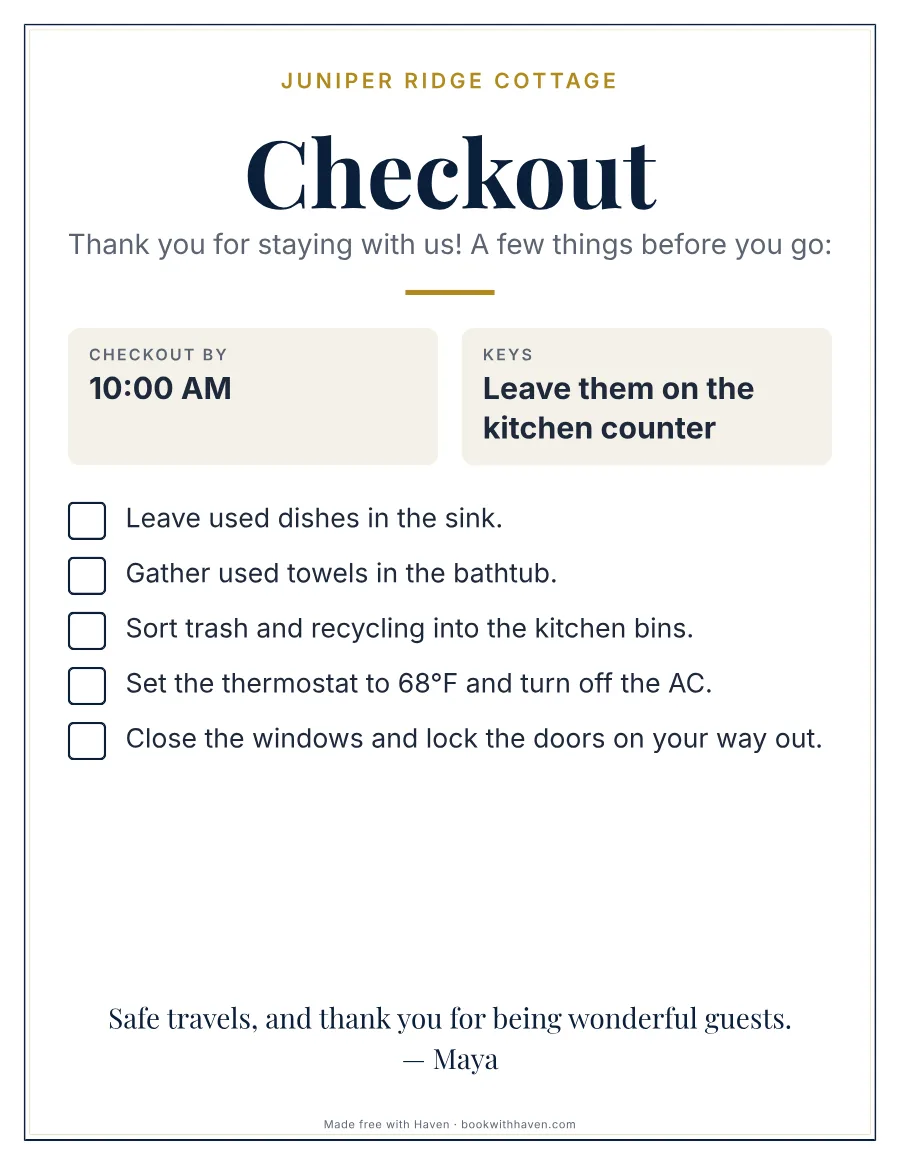
Checkout instructions
The time, where the keys go and a short list of requests, matching what your listing already says.
House rules
The handful that matter most, worded plainly: overnight guests, quiet hours, smoking, pets, events.
Trash and recycling
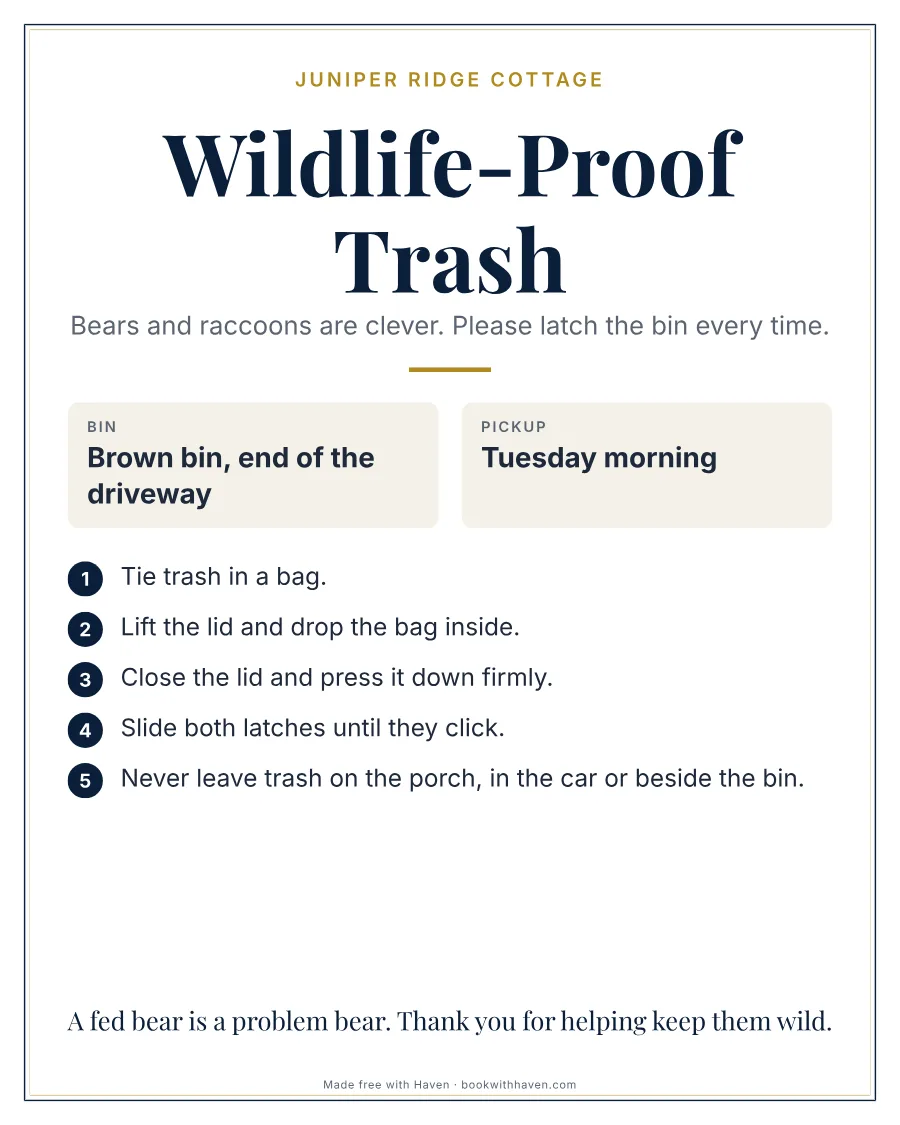
Pickup days and which bin takes what, so bags land in the right place on the right night.
Signs for the things with controls
Hot tub, pool, thermostat and TV: short steps beside a labeled photo of your own controls.
The quieter ones
Quiet hours, pet rules, a septic-safe reminder and an emergency sheet with the address in large type.
How it works
Make yours in a few minutes
- 1
Choose the signs
Tick the ones your home needs. Wi-Fi, checkout, house rules and trash start ticked.
- 2
Enter your details once
Property name, Wi-Fi, check-in and checkout times and contact fill every sign that prints them.
- 3
Edit each sign
Every line is yours to change, and the photo signs take your own pictures with labels marked on them.
- 4
Download one PDF
The whole set in one file, for US Letter or an 8×10 or 5×7 frame.
In the set
Every sign in the set
Tick any of these in the editor above, or open one directly. Every sign prints at 8.5 × 11 in (US Letter), 8 × 10 in or 5 × 7 in.
Wi-Fi sign
Scan-to-join QR with the network name and password.
Make it on its ownTicked to start
Checkout instructions
Checkout time, key return and a short, courteous list.
Make it on its ownTicked to start
Welcome sign & guest info sheet
Wi-Fi, checkout time, host contact and a guide QR on one page.
House rules sign
A concise wall sign of the rules that matter most.
Make it on its ownTicked to start
Trash & recycling
Pickup days, bin colors, where bins live, with photos.
Make it on its ownTicked to start
Parking instructions
Your driveway photo with the space marked, plus directions.
Quiet hours & neighbors
Separate indoor and outdoor quiet hours, kindly worded.
Hot tub rules
Hours, capacity, towels, cover steps and a controls photo.
Pool rules
Pool hours, gate instructions, towels and your rules.
Pet-friendly rules
Furniture, leashes, waste bags and where pet supplies are.
Septic-safe bathroom
A small framed reminder of what can be flushed.
Emergency info & address
The address in large type, unit, cross street and contacts.
Thermostat & AC
A labeled photo of the controls and short operating steps.
TV & remote
Labeled remote, inputs, streaming and how to sign out.
Appliance card
Coffee maker, dishwasher, washer or induction stove.
Questions hosts ask
Vacation rental sign questions
What signs does an Airbnb or vacation rental need?
No platform requires a set list, but most hosts post a Wi-Fi sign, checkout instructions, house rules and a trash and recycling sign, then add one for anything with controls or risks: a hot tub, pool, thermostat, fireplace or septic system. Local rules can require more, such as posted emergency numbers or an exit map, so check with your city or county.
Can I print the signs at home?
Yes. The set downloads as one PDF sized for US Letter, an 8×10 frame or a 5×7 frame, so it prints on a home printer and fits standard frames. A print shop can print the same file on heavier card stock.
Do all the signs match?
Yes. Every sign in the set uses the design and size you choose, and the property name, Wi-Fi, times and contact details you enter once fill every sign that prints them.
Where are my details kept?
In this browser on this device. Text and photos are never uploaded, the PDF is made on your device, and the details are there next time for the welcome book or any other sign.
Can I make one sign on its own?
Yes. The Wi-Fi sign, checkout instructions, house rules, hot tub rules, trash and parking signs each have a page of their own, linked from the list on this page, and every other sign opens here with only that sign ticked.
Free for hosts
Pairs well with
Frequently asked
Is Vacation Rental Signs really free?
Yes — Vacation Rental Signs is free for vacation-rental hosts. No signup, no credit card, no email gate. Haven runs a paid hosting platform for direct-booking sites, and these tools are how we introduce it.
Why is Haven offering this free?
Because the best way to demonstrate what Haven can do for a vacation-rental site is to actually do something useful first. You keep the answer either way.
Free traffic, too: list your rental in Haven's guest search
Haven's AI stay search sends travelers to independently-run rentals at no cost. Connect Airbnb or your PMS, and each place gets a free Haven site that collects booking requests. How free listing works