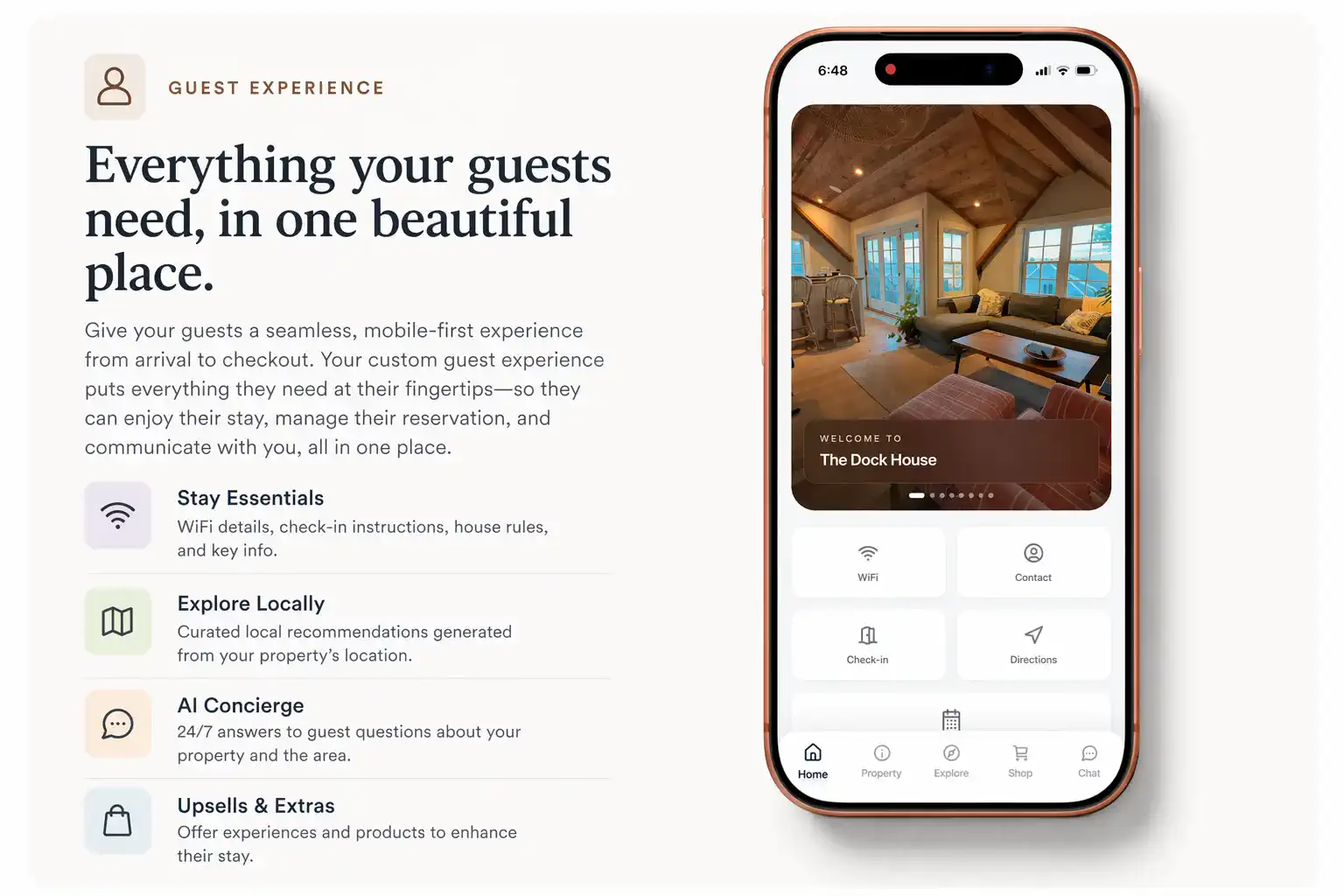
Experience
One mobile guide for the entire stay
Trip dates, check-in, Wi‑Fi, house rules, and local picks — all in one branded portal guests bookmark.
Haven’s guest-facing portal works on its own — no Haven booking website required. One link for arrival instructions, house norms, local tips, guest ID verification, rental agreements, and upsells. Auto-send it to Airbnb, Vrbo, and your PMS, and optionally capture emails into your CRM.
Use it on its own — no Haven booking website required. One branded portal for Airbnb, Vrbo, and direct guests: arrival details, door codes when you release them, house norms, local tips, guest ID verification, rental agreements, and upsells. Auto-send the link through your other booking channels and optionally capture emails into your CRM.
No credit card required
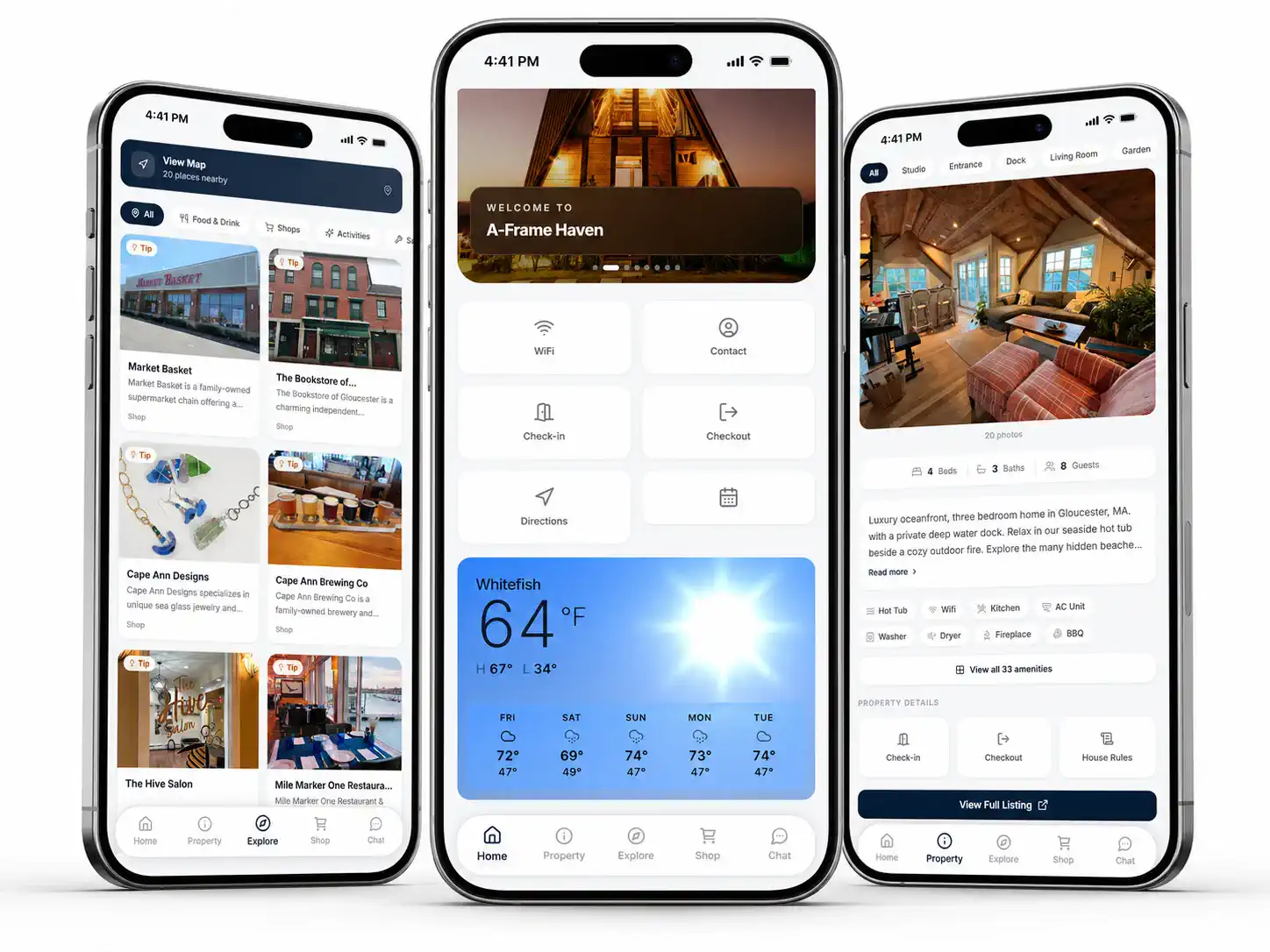
This is the same mobile guide your guests open after they book — landing on the Shop tab so you can see how Haven turns mid-stay upsells (late checkout, extra cleans, local goods) into recurring revenue.
Live preview of a finished Haven guest portal.
Check-in details, Wi-Fi, rules, and local tips are easy to miss when they are spread across messages, PDFs, and old binders. Haven puts the important details in one guide.
Guests miss key info when it lives in long messages or scattered PDFs.
Hosts end up answering the same check-in, Wi-Fi, trash, parking, and thermostat questions.
Binders and PDFs are useful, but they are easy to forget to update.
Watch how scattered messages become one guest-facing link — editable when your property facts change.
Wi‑Fi, check-in rules, trash day — all answered before, none of them easy to find again when arrival stress hits.
The details are there — but guests have to hunt for them.
Build from your property facts — reorder, rename, and ship the same source to QR codes and printers.
Coastal Guesthouse
Sections load in scan order — not random FAQs.
One source of truth
When you revise Wi‑Fi or checkout, hosts and printers stay wired into the living guide URL.
Everything you would normally paste across five channels — housed in one guidebook workspace.
Haven keeps stay details organized, easy to update, and easy for guests to scan.
Fast for one-off answers, but guests have to search for details and hosts repeat themselves.
Useful for printing, but harder to update and awkward to use on a phone.
Helpful inside the property, but easy to let go out of date.
A digital and printable guide with sections guests can scan before and during the stay.
Put check-in, Wi-Fi, parking, trash, and house rules in one place.
Explain hot tubs, gates, fireplaces, appliances, shared spaces, or unusual layouts.
Give guests a guide that works on their phone and can also be printed.
Use rebooking links to point guests back to your branded booking site.
Auto-generate curated neighborhood lists with the vacation rental local guide tool, and mirror the same details on paper through vacation rental welcome books & printable materials.
Next step
Give them Haven’s trip hub plus printable exports when you need paper at the cabin.
Trip dates, check-in, Wi‑Fi, house rules, and local picks — all in one branded portal guests bookmark.
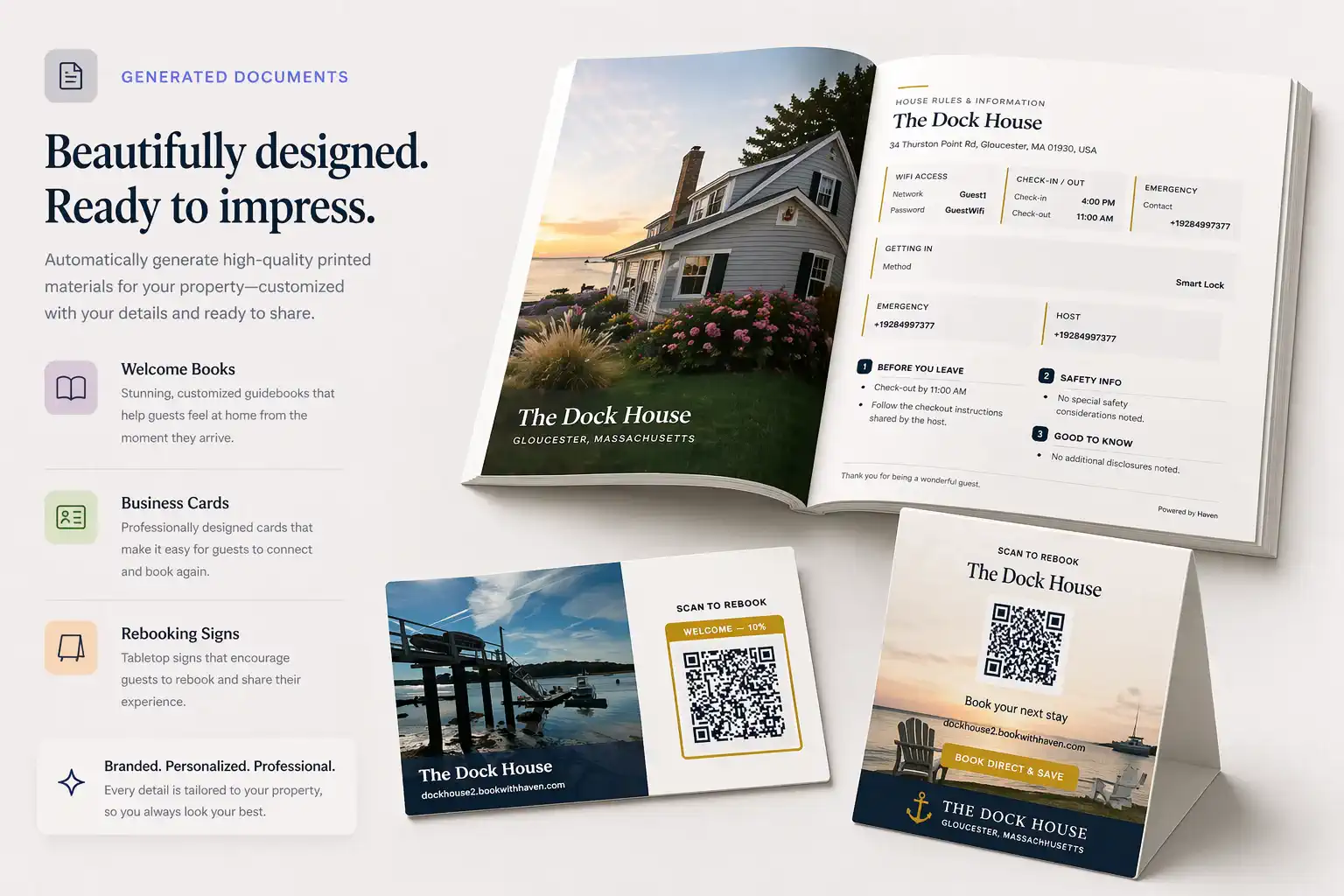
Give guests paper that matches what they see online — arrivals, norms, QR back to digital.
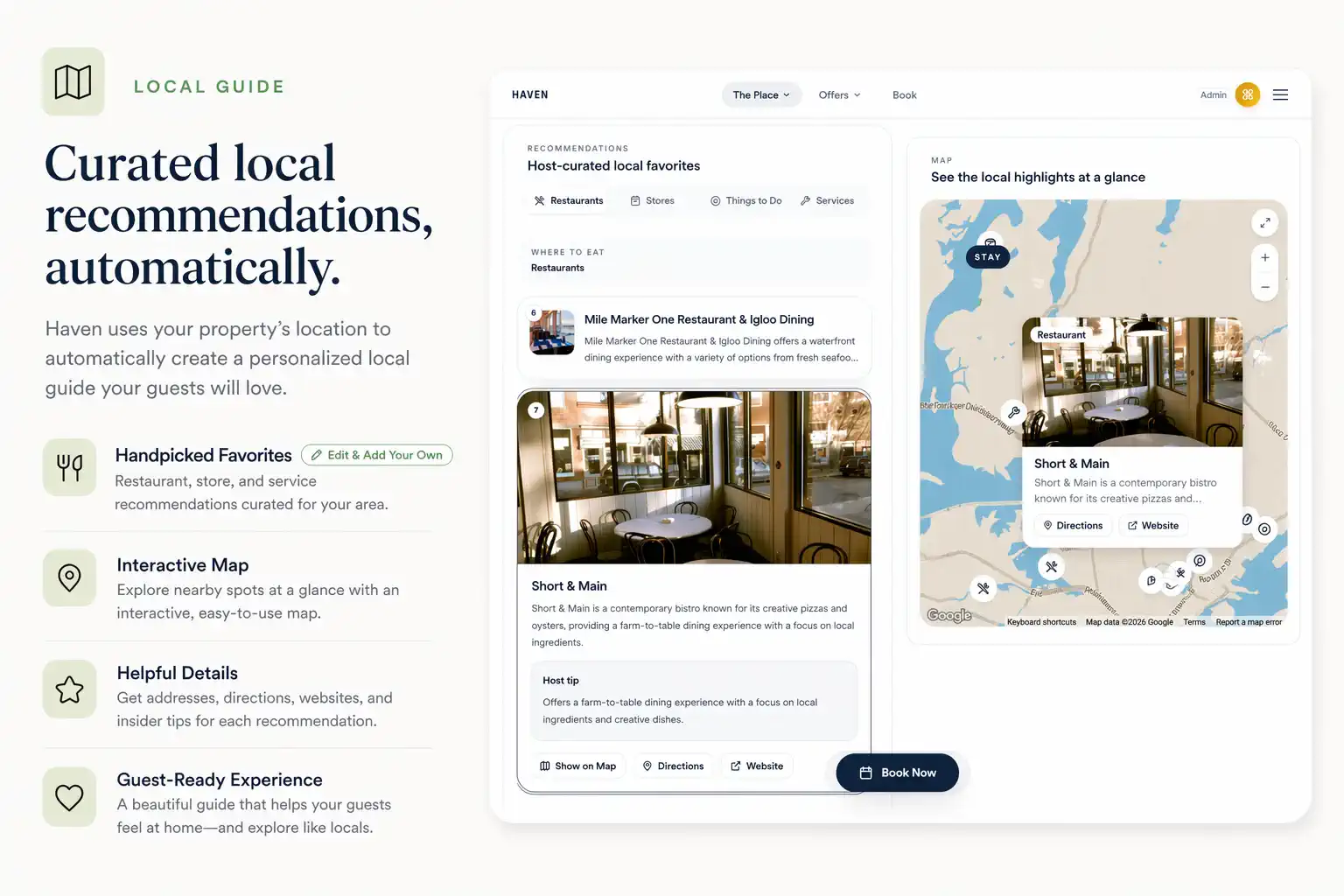
Restaurants, coffee, hikes, groceries — surfaced next to Wi‑Fi and rules, where guests look.
Scan Wi‑Fi, check-in rules, troubleshooting, and local tips — no app download.