Print suite
Welcome books, cards, and signs in one place
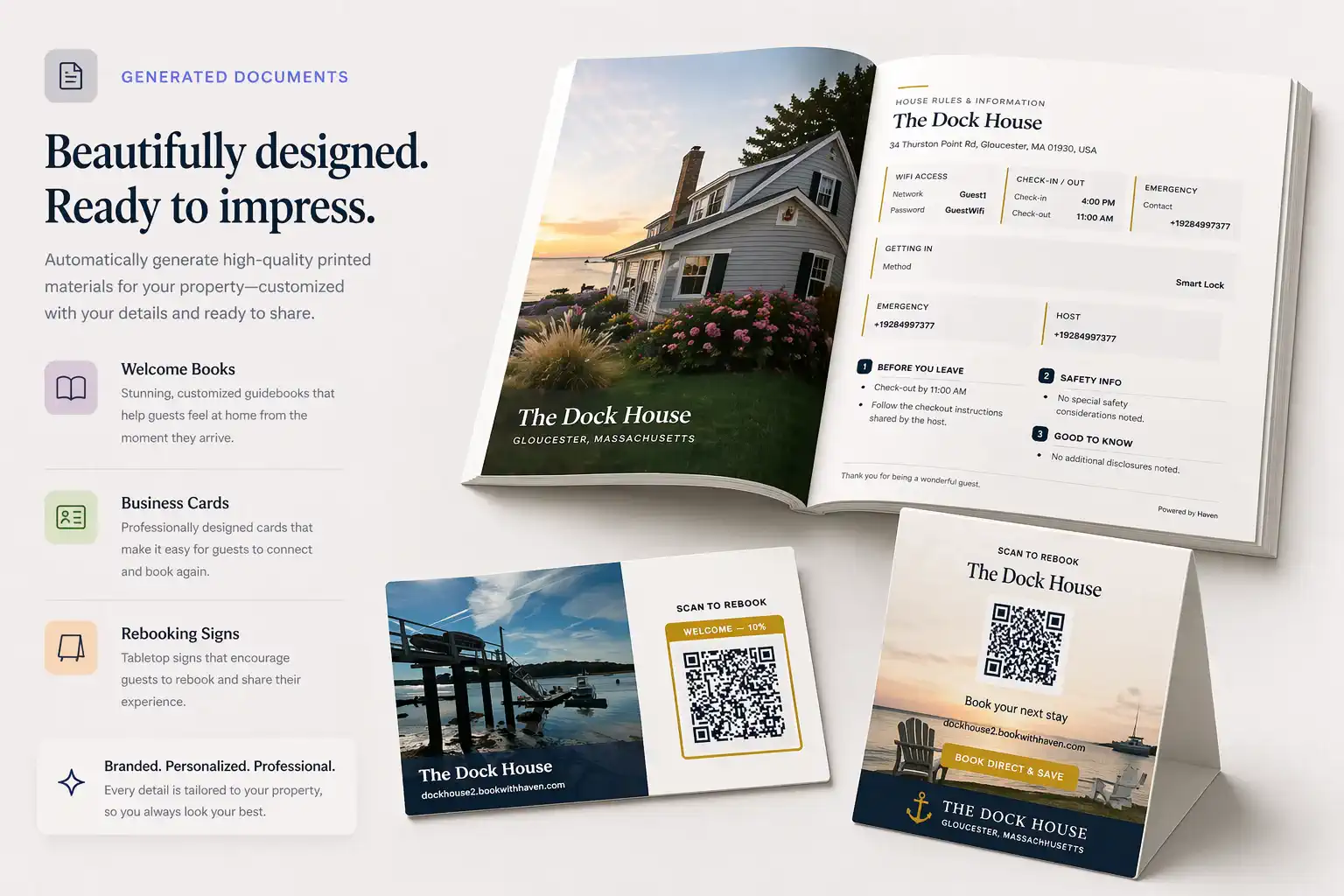
Generate layouts for house manuals, QR handouts, tent cards, and rebooking materials from the same listing content.
House manuals that match your digital playbook, branded tent cards, QR stations, tabletop reminders, and take-home collateral—generated from Haven listing records so counters and bedside tables reinforce what guests already saw online.
These assets are tactile extensions of your brand—not a substitute for the online guest portal, which stays in the digital guidebook experience when you configure it.
No credit card required
Digital guides are useful, but guests also look for signs, cards, and printed instructions once they arrive. Haven helps you create both from the same property information.
Guests need Wi-Fi, parking, trash, checkout, and appliance details right when they are using the space.
Old binders and signs are easy to forget when rules or recommendations change.
A random QR code is less useful if it does not lead to a clear guest guide or booking page.
See the journey
Wi‑Fi, check-in rules, trash day — all answered before, none of them easy to find again when arrival stress hits.
The details are there — but guests have to hunt for them.
When property details change in Haven, regenerate print files instead of re-editing a binder or a one-off Canva file.
Document builder
Generate from your Haven listing
Download print-ready files for your property — then replace only what changed next time.
Create a printed house manual with check-in info, Wi-Fi, house rules, checkout steps, and local recommendations.
Give guests a quick way to open the digital guest guide on their phone.
Point guests back to your branded booking site for a future stay.
Create clear signs for Wi-Fi, parking, trash, hot tubs, quiet hours, checkout, and other common questions.
Place small cards on counters, tables, or nightstands for important reminders and QR links.
Print curated restaurants, coffee shops, grocery stores, activities, beaches, hikes, and services.
QR cards and rebooking cards let guests open the guide, find key details, and return to your branded booking link later.
Guests scan for Wi-Fi, house rules, instructions, and local recommendations.
Cards can remind guests where to leave a review, check out, or book again.
Guests can keep the branded booking link for a future trip.
Same four steps whether you need a welcome book, a QR tent card, or a rebooking leave-behind.
Haven keeps your printed materials connected to the same property details used in your digital guest guide.
Flexible, but you still have to copy, paste, format, and update everything by hand.
Useful inside the property, but easy to let go stale.
Helpful only if they lead somewhere useful and current.
Print-ready materials tied to your guest guide, local recommendations, and branded booking link.
Put common answers where guests can find them.
Explain hot tubs, gates, parking, fireplaces, appliances, shared spaces, and checkout steps.
Use QR cards to connect printed materials to the digital guest guide.
Use rebooking cards to point guests back to your branded booking link.
Next step
Regenerate refreshed welcome books whenever instructions change instead of scrambling with desktop publishing tools.
Generate layouts for house manuals, QR handouts, tent cards, and rebooking materials from the same listing content.
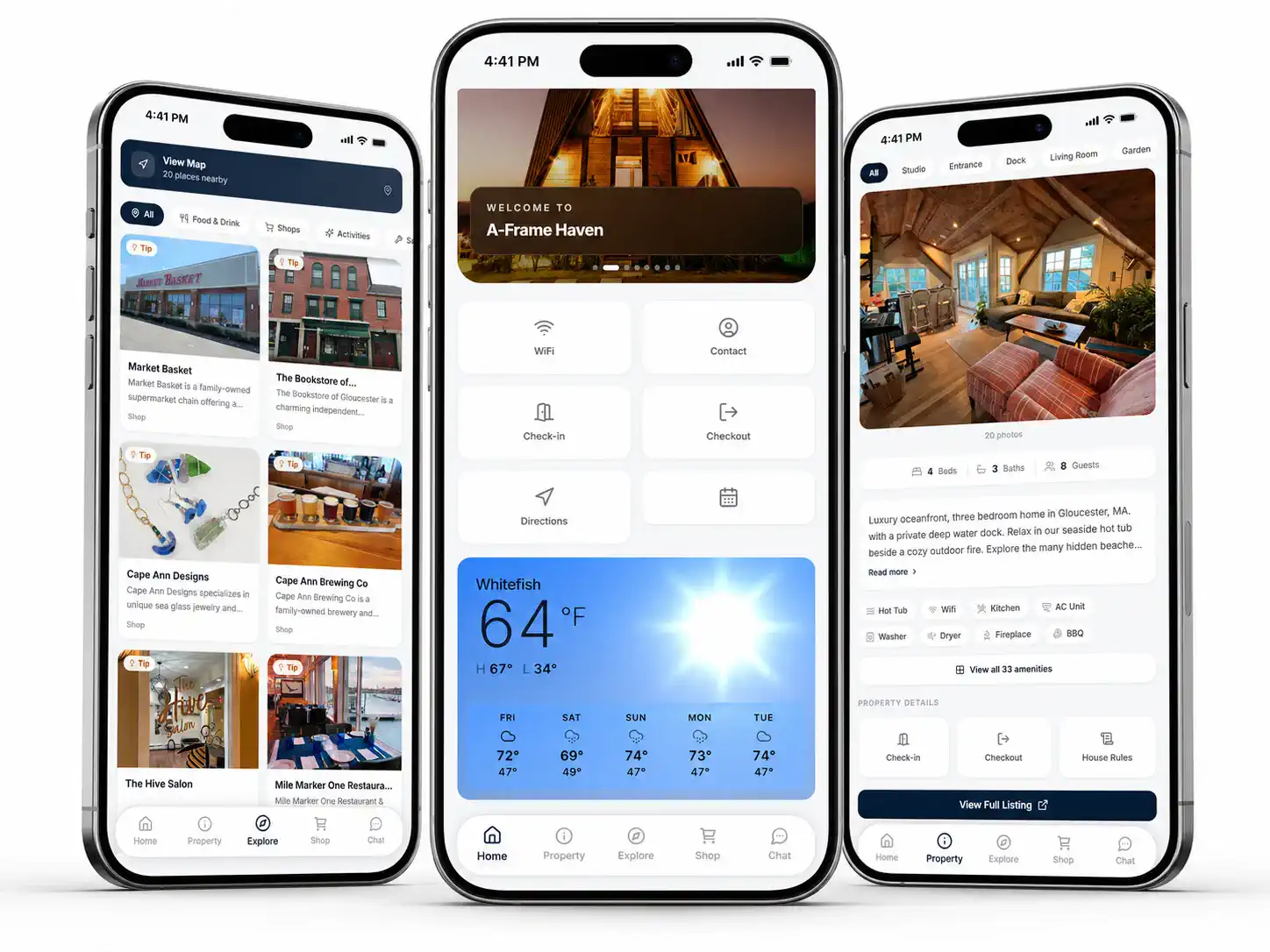
Scan from a card on the counter and land in the same guide your digital guests use — Wi‑Fi, rules, and local picks stay current.
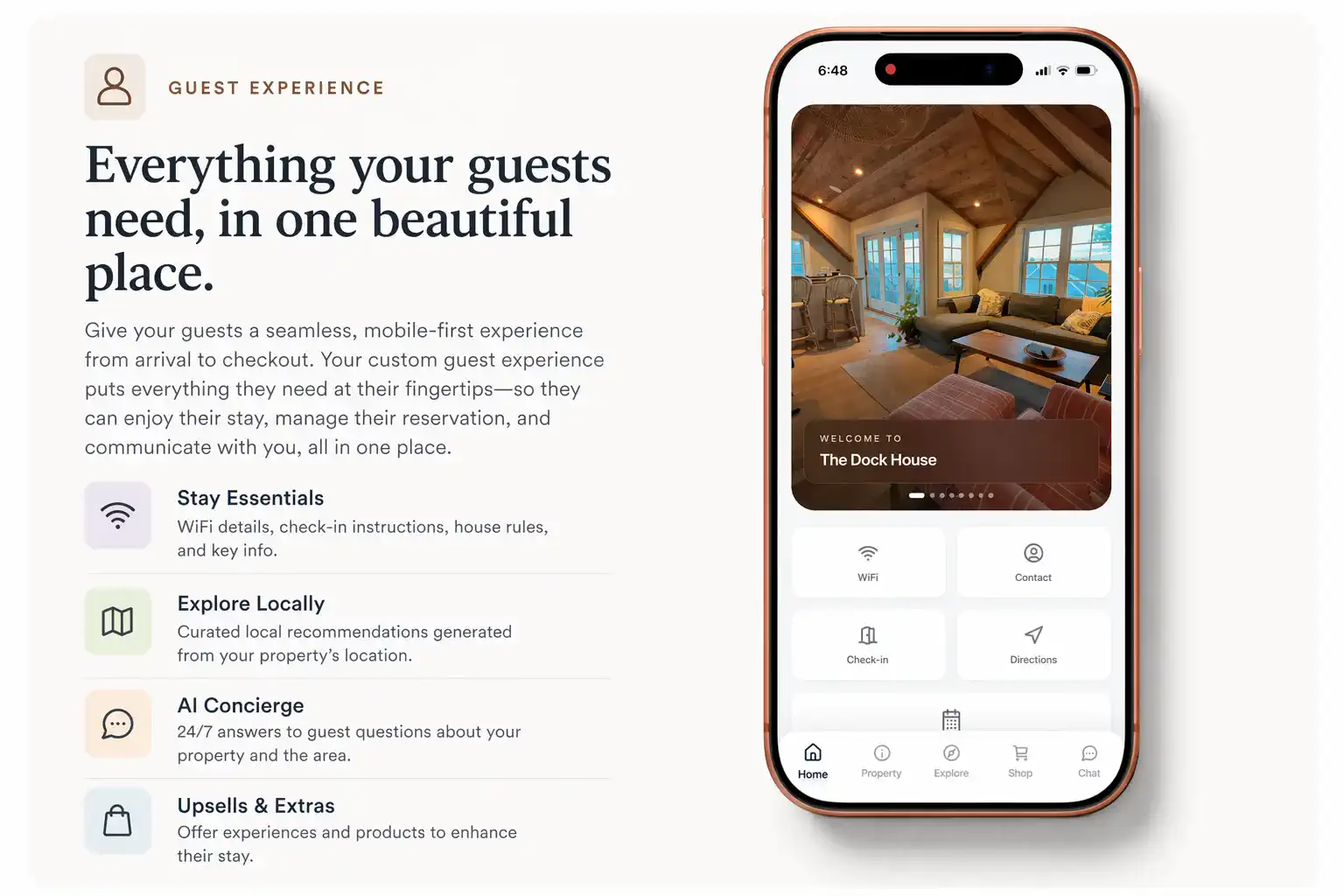
Rebooking cards and printed CTAs point guests to the link you want them to remember after checkout.