Free for hosts
Wi-Fi Sign with QR Code
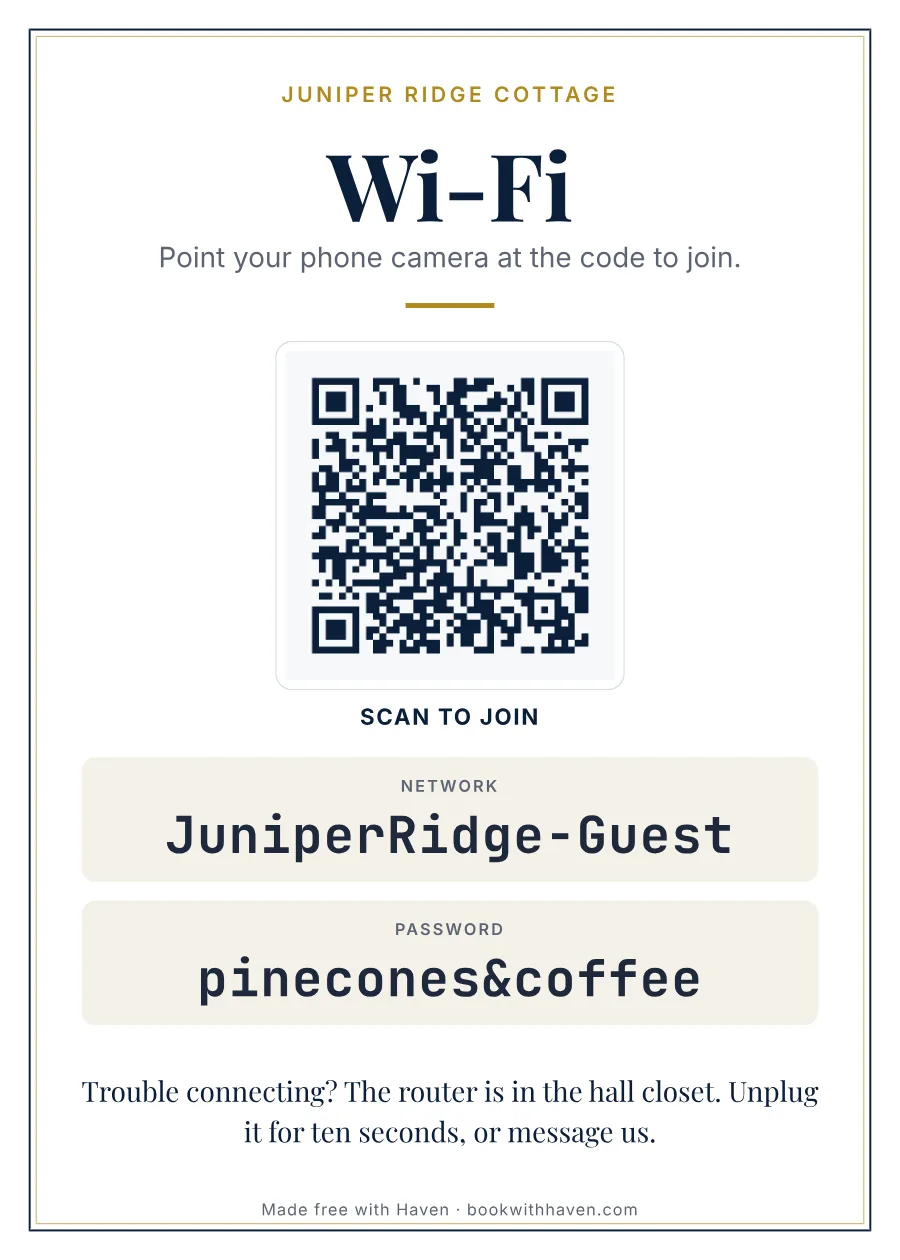
Type the network name and password, and the sign draws a scan-to-join QR code beside them. Print it for a frame, a small stand or a folded tent card.
What to include
What a good Wi-Fi sign includes
Guests look for it within minutes of arriving, so it should answer at a glance and read from across the room.
The network name, exactly
Capitals, spaces and punctuation all count. Copy it from the router’s label or its app rather than from memory.
The password, easy to read
Large enough to read from the doorway. If yours mixes 0 and O or l and 1, a password that reads aloud cleanly saves a message or two.
A scan-to-join QR code
Phone cameras read the standard Wi-Fi QR format and offer to join, so nobody has to type a long password on a small keyboard.
The hidden-network setting, if you use it
A network that does not broadcast its name needs the QR code to say so. Turn on the hidden option and the code still joins it.
A place guests pass
A frame by the entry or on the kitchen counter, or a tent card on the nightstand or desk where laptops come out.
How it works
Make yours in a few minutes
- 1
Enter the network and password
Your property name heads the sign; the network, password and QR code fill in as you type.
- 2
Choose a size and design
US Letter, 8×10, 5×7, 4×6 or a folding tent card, in the design that suits the room.
- 3
Test the code
Scan the preview with your phone. If it offers to join your network, the printed sign will too.
- 4
Download and print
One PDF for a home printer or a print shop. Your details stay in this browser for the next sign you make.
Questions hosts ask
Wi-Fi sign questions
How do I make a Wi-Fi QR code for my Airbnb?
Enter the network name and password on this page. The sign encodes them in the standard Wi-Fi QR format, so a guest points their phone camera at it and taps to join. Scan the preview with your own phone before you print to confirm it connects.
Do Wi-Fi QR codes work on iPhone and Android?
Yes. The built-in camera apps on current iPhones and Android phones recognize Wi-Fi QR codes and offer to join the network. An older phone may need a QR reader app, which is why the sign prints the network name and password as well.
Is it safe to print the Wi-Fi password on a sign?
Inside the rental it is the usual practice, since the sign is for the people staying there. Keep it out of listing photos, consider a separate guest network on your router, and print a fresh sign whenever you change the password.
Where is my Wi-Fi password kept?
Only in this browser on this device. It is never uploaded or put in a link, the QR code is drawn in your browser rather than by an online QR service, and the PDF is made on your device.
What size should a Wi-Fi sign be?
A 5×7 frame on the kitchen counter or by the entry suits most homes. The sign also prints at 4×6, 8×10 and US Letter, or as a Letter sheet that folds into a tent card for a nightstand or desk.
Free for hosts
Pairs well with
Frequently asked
Is Wi-Fi Sign with QR Code really free?
Yes — Wi-Fi Sign with QR Code is free for vacation-rental hosts. No signup, no credit card, no email gate. Haven runs a paid hosting platform for direct-booking sites, and these tools are how we introduce it.
Why is Haven offering this free?
Because the best way to demonstrate what Haven can do for a vacation-rental site is to actually do something useful first. You keep the answer either way.
Free traffic, too: list your rental in Haven's guest search
Haven's AI stay search sends travelers to independently-run rentals at no cost. Connect Airbnb or your PMS, and each place gets a free Haven site that collects booking requests. How free listing works