Free for hosts
Appliance Instruction Cards
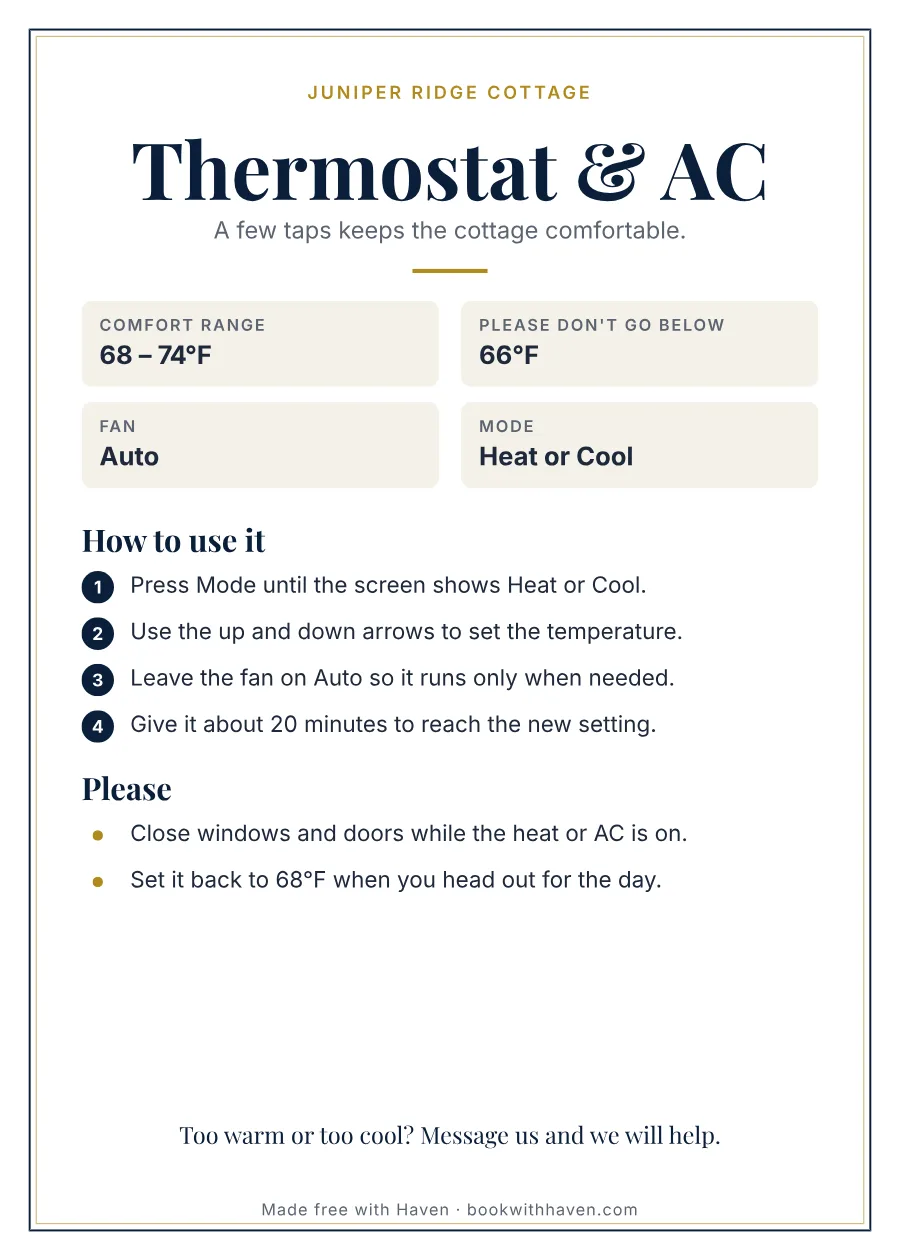
Thermostat, TV remote, coffee maker, dishwasher or washer: a labeled photo of your own controls and a few short steps, on a card that sits beside the appliance.
What to include
What makes an appliance card useful
The card answers one question at the appliance itself. Your controls, your settings and nothing else.
A photo of your controls
Straight on and in good light, so every button and label is readable.
The buttons that matter, labeled
Pins or boxes on power, mode, temperature or start, with a one-word label each.
Three to five steps
From off to working, in order. If it takes more, the appliance probably needs a simpler setting.
The setting to leave it on
The thermostat range you prefer, the TV input to return to, the dishwasher cycle that suits your water.
What not to do
The one mistake you see most, such as pods in the wrong drawer or the wrong pan on induction.
How it works
Make yours in a few minutes
- 1
Choose the appliance
Thermostat, TV and remote, coffee maker, dishwasher, washer or stove.
- 2
Add and label a photo
Mark the buttons guests need; the marks hold their place at every size.
- 3
Write the steps
Start from the sample steps and change them to match your model.
- 4
Download and place it
Print at 5×7 or 4×6 and set it beside the appliance it explains.
Questions hosts ask
Appliance card questions
Which appliances need an instruction card in a rental?
Anything a guest has not used before or could set wrong: the thermostat and any mini-split remote, the TV and its inputs, a pod or espresso coffee maker, the dishwasher, the washer and dryer, and an induction or gas range. Leave out the obvious; a microwave rarely needs a card.
Why use a photo instead of the manufacturer’s manual?
Guests want the three buttons that matter on your model, not forty pages. A photo of your own controls with those buttons labeled answers the question at the appliance, in seconds.
What size should an appliance card be?
A 5×7 card fits beside a thermostat or on a counter, and a 4×6 card tucks under a coffee maker. Both are standard frame sizes, so the card can stand in a small frame or be laminated.
How do I explain signing out of streaming apps on the TV?
Add a line to the TV card asking guests to sign out of their own accounts before checkout, and say where to find the option on your TV’s home screen. It protects the guest’s account, and the next guest starts with a clean screen.
Free for hosts
Pairs well with
Frequently asked
Is Appliance Instruction Cards really free?
Yes — Appliance Instruction Cards is free for vacation-rental hosts. No signup, no credit card, no email gate. Haven runs a paid hosting platform for direct-booking sites, and these tools are how we introduce it.
Why is Haven offering this free?
Because the best way to demonstrate what Haven can do for a vacation-rental site is to actually do something useful first. You keep the answer either way.
Free traffic, too: list your rental in Haven's guest search
Haven's AI stay search sends travelers to independently-run rentals at no cost. Connect Airbnb or your PMS, and each place gets a free Haven site that collects booking requests. How free listing works