Free for hosts
Owner Payout & Co-Host Fee Calculator
Enter the bookings, the fees and your commission, and see what you earn as a co-host or manager and what the owner is paid. Nothing to sign up for.
The reservation
Channel and processing
Pick a channel to fill in its published rates, or enter your own.
Management
Expenses
Supplies, repairs or anything else paid out of this booking.
Enter the nightly rate, nights, channel fee and commission rate to see the split.
How it adds up
What goes into an owner payout
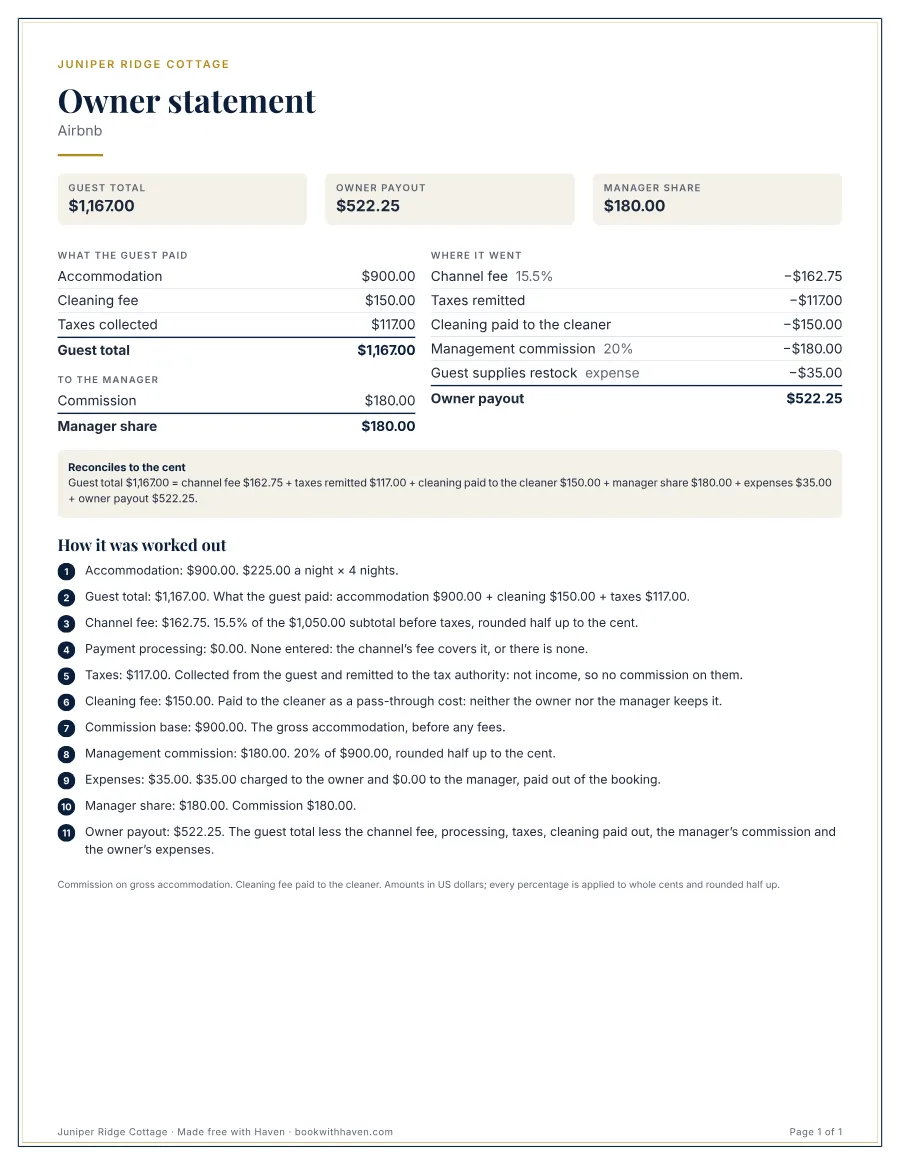
Owners read the statement line by line. Each of these deserves its own line, in the order money leaves the booking.
Booking revenue
What guests paid for the stays in the period, before taxes collected for the city or state.
Platform fees
What Airbnb, Vrbo or Booking.com kept from each payout. The host fee calculator prices each channel’s cut.
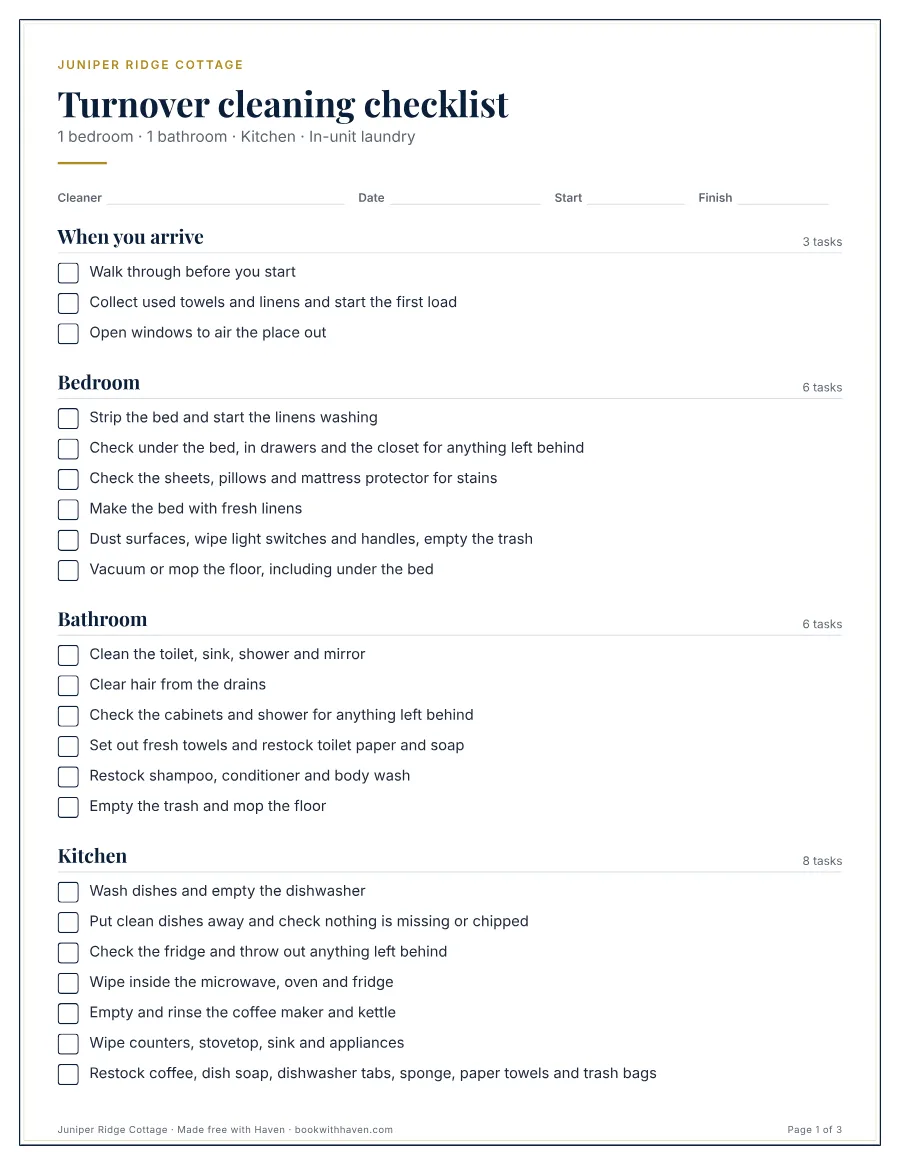
Cleaning and turnover costs
Paid to the cleaner, passed through from the guest’s cleaning fee or charged to the owner, as the agreement says.
The management or co-host fee
The percentage, and the base it applies to: gross revenue, revenue after platform fees, or revenue after cleaning.
Owner expenses
Supplies, repairs and utilities the owner pays, deducted before the payout.
How it works
Work it out in a few minutes
- 1
Enter the bookings
The revenue for the month or the stays you are settling.
- 2
Add fees and costs
Platform fees, cleaning and any owner expenses for the period.
- 3
Set your commission
Your percentage and the base it is charged on.
- 4
Read both sides
Your fee and the owner’s payout, line by line.
Questions hosts ask
Owner payout questions
How do I calculate an owner payout for a vacation rental?
Start from the booking revenue for the period, take out what the booking platforms kept, then the costs the agreement says the owner pays (cleaning, supplies, repairs, utilities), then the manager’s or co-host’s fee on the base the agreement names. What remains is the owner’s payout. Writing each line down is what makes the statement easy to check.
What is a typical co-host or property management fee?
There is no standard rate. Fees depend on the market and on what the co-host or manager does: messaging and listing work alone usually costs less than full-service management that also runs cleaning, maintenance, pricing and owner reporting. Compare quotes on the same base and the same list of services.
Should the management fee come from gross or net revenue?
Either, as long as the agreement says which. A fee on gross booking revenue is simpler to check; a fee on revenue after platform fees, or after cleaning, ties the manager’s pay more closely to what the owner keeps. The same percentage pays quite differently on each base, so compare them side by side before you sign.
Are cleaning fees part of the owner’s revenue?
Only if the agreement says so. Many agreements pass the guest’s cleaning fee straight to the cleaner and leave it out of the manager’s commission; others count it as revenue and pay cleaning as an expense. Decide which, write it down, and run both through the calculator to see the difference.
Free for hosts
Pairs well with
Frequently asked
Is Owner Payout & Co-Host Fee Calculator really free?
Yes — Owner Payout & Co-Host Fee Calculator is free for vacation-rental hosts. No signup, no credit card, no email gate. Haven runs a paid hosting platform for direct-booking sites, and these tools are how we introduce it.
Why is Haven offering this free?
Because the best way to demonstrate what Haven can do for a vacation-rental site is to actually do something useful first. You keep the answer either way.
Free traffic, too: list your rental in Haven's guest search
Haven's AI stay search sends travelers to independently-run rentals at no cost. Connect Airbnb or your PMS, and each place gets a free Haven site that collects booking requests. How free listing works